Starlink Gen 2 Ethernet Cable: High-Speed, All-Weather Replacement
Starlink Gen 2 Ethernet Cable: High-Speed, All-Weather Replacement
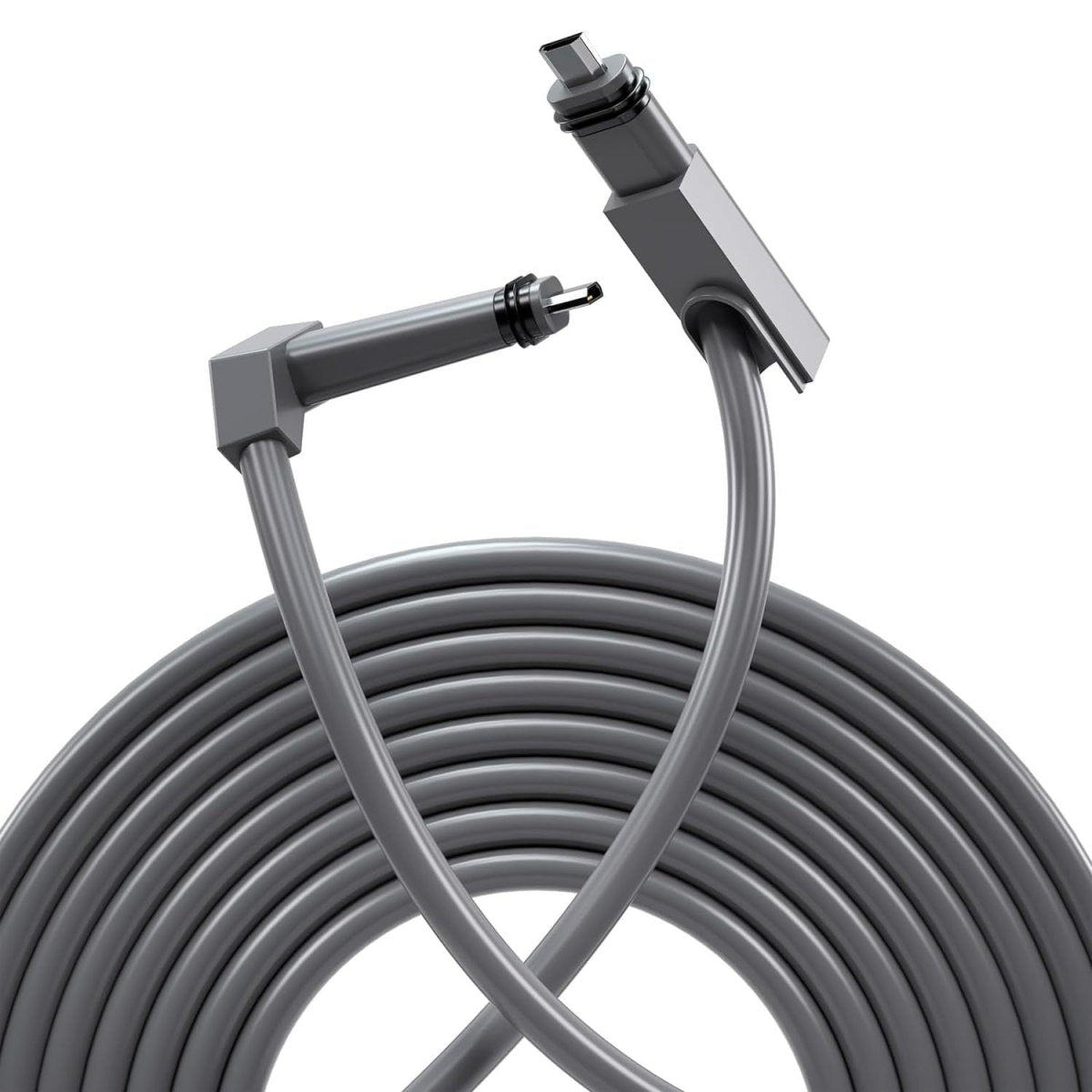
Heavy-Duty Armored Replacement Cable for Starlink Gen 2
Upgrade a vulnerable Starlink Gen 2 cable run with a 26AWG copper replacement cable reinforced by stainless-steel armor and a weather-resistant PVC jacket — built for installations exposed to pets, outdoor routing and everyday physical wear.

Stainless-Steel Armored Protection
An internal stainless-steel protective layer adds resistance against chewing, abrasion and common physical damage compared with a conventional unarmored cable jacket.
Gen 2-Specific Connectors
Purpose-built connectors match the Starlink Gen 2 rectangular dish system for direct replacement routing without adapting the run to standard RJ45 plugs.
Outdoor-Ready PVC Jacket
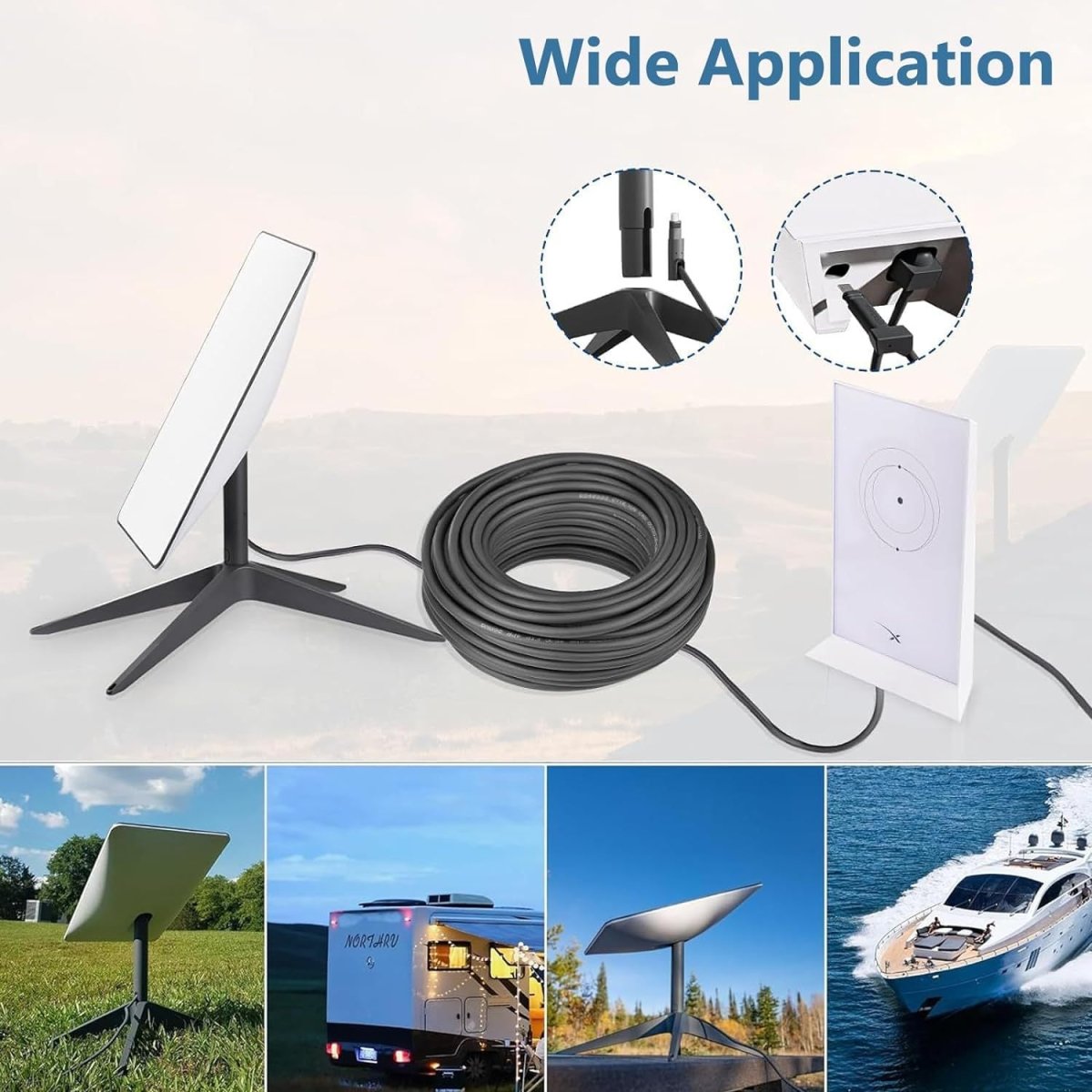
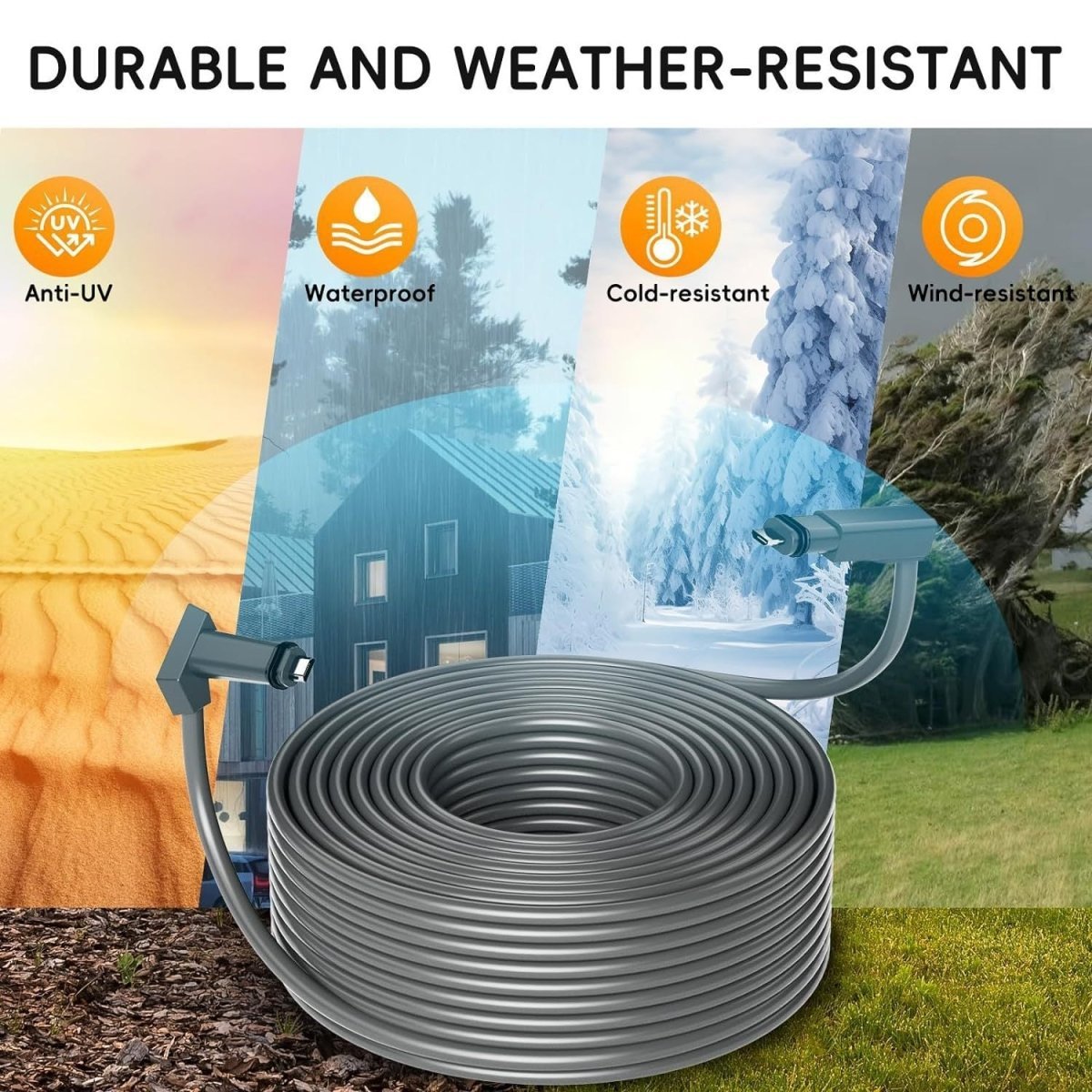
A weather-resistant PVC outer jacket and protected connectors are designed for normal indoor and outdoor Starlink cable runs.
Built for Cable Runs That Need More Protection
Stainless-steel reinforcement gives the cable an extra barrier against pets and rodents compared with a soft polymer jacket alone.
Suitable for protected routing around campsites, RVs, temporary field installations and other environments where cables are handled more frequently.
Multiple lengths make it easier to route the dish from a roof, yard or pole to an indoor Starlink Gen 2 router without unnecessary couplers.
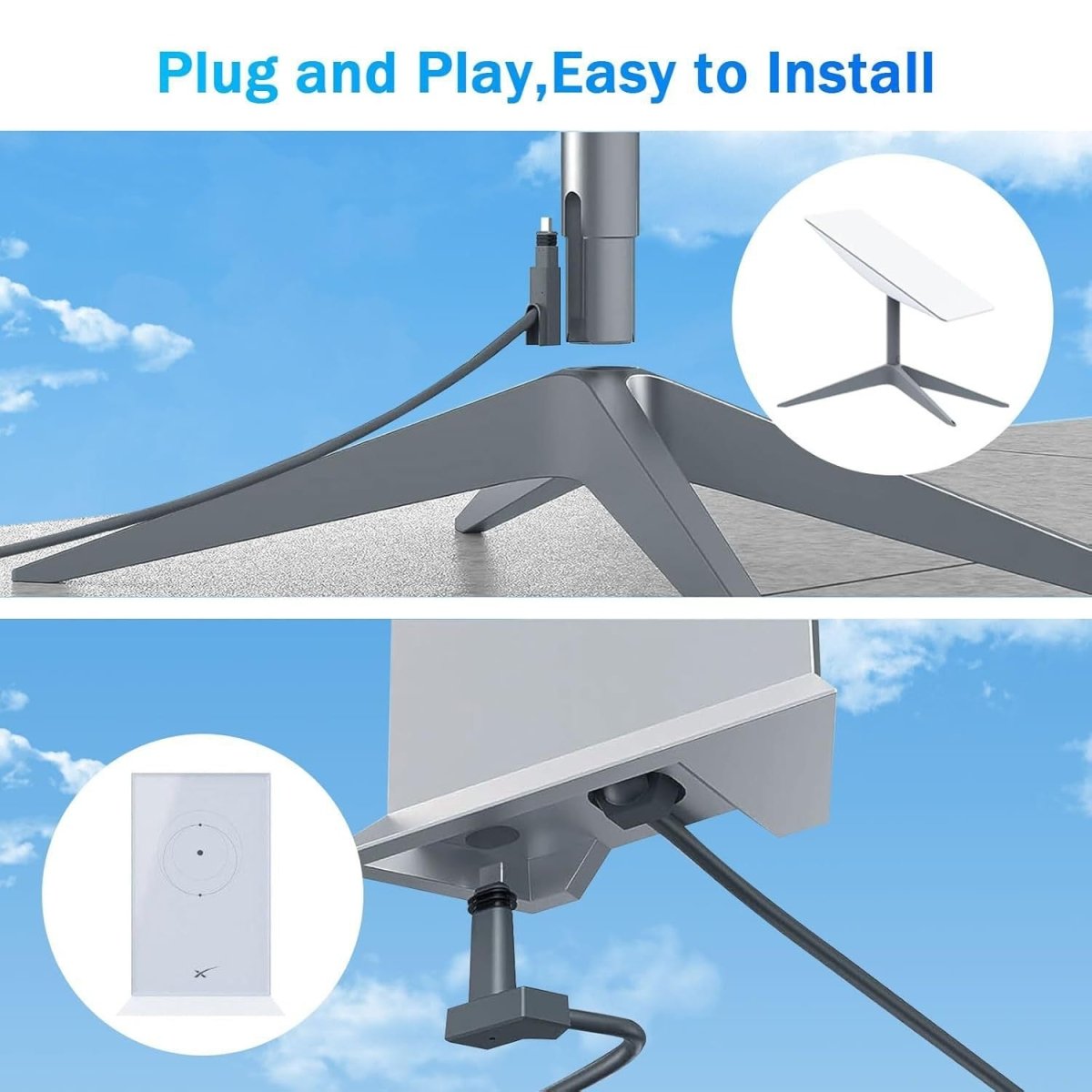
The Gen 2-specific ends allow the cable to replace a compatible existing run without cutting, crimping or converting the cable to another connector standard.
Current manufacturer specifications identify 26AWG pure-copper conductors and rate the cable for data transfer up to 1200Mbps.
Important: Armored Does Not Mean Indestructible
Stainless-steel reinforcement improves resistance to chewing, abrasion and normal physical damage, but the cable should still be protected from vehicle tires, sharp metal edges, crushing, severe kinks, continuous immersion and other abusive routing conditions.
Reinforced from the Conductors Outward

Manufacturer-listed pure-copper conductors handle the combined data and power requirements of a compatible Starlink Gen 2 connection.
Adds mechanical reinforcement around the cable to improve resistance to chewing and everyday abrasion.
The external PVC jacket protects the internal cable construction from normal outdoor moisture and environmental exposure.
Molded Gen 2 connector housings include sealing features intended to help protect the connection from normal outdoor moisture.

The cable is advertised for data transfer up to 1200Mbps. Actual Starlink internet speed depends on the Starlink service, network congestion, obstruction, weather and local service conditions; the cable itself does not guarantee a 1200Mbps internet connection.
Choose the Right Length Before Routing
Verify that your hardware is the Starlink Gen 2 rectangular dish system before ordering. Connector designs differ between generations.
Measure from the dish to the indoor equipment along the actual cable path, including wall entries, bends and service slack.
Disconnect Starlink power before unplugging or replacing the existing dish cable.
Avoid tight kinks, crushed door or window gaps, sharp metal edges and unnecessary tension at either connector.
Insert the Gen 2 connectors fully and evenly. Do not force a plug that is misaligned, dirty or obstructed.
Power the Starlink system back on and verify normal connection status in the Starlink app before securing the final route.

Armored construction improves protection but does not make the cable immune to crushing. Use a proper wall or RV pass-through and protect the connector when feeding it through openings.
The finished Gen 2 connectors are already attached. Normal installation does not require cutting the cable, adding RJ45 ends or modifying the Starlink hardware.
Specifications
| Attribute | Details |
|---|---|
| Product | Heavy-Duty Armored Replacement Cable |
| Compatibility | Starlink Gen 2 / V2 Rectangular Dish System |
| Starlink Gen 3 | Not Compatible |
| Starlink Mini | Not Compatible |
| Source Variant 47666400854248 | 46 M (150.9 FT) |
| Available Lengths | 5 M / 10 M / 15 M / 23 M / 30 M / 46 M |
| Approx. Lengths in Feet | 16 / 32.8 / 49.2 / 75.5 / 98.4 / 150.9 FT |
| Conductor | Manufacturer-Listed Pure Copper |
| Wire Gauge | 26AWG |
| Armor | Stainless-Steel Reinforcement |
| Outer Jacket | Weather-Resistant PVC |
| Connector Type | Starlink Gen 2-Compatible Proprietary Connectors |
| Standard RJ45 Ends | No |
| Manufacturer Data Rating | Up to 1200Mbps |
| Actual Starlink Internet Speed | Depends on Service, Network, Obstructions, Weather & Location |
| Indoor Use | Yes |
| Outdoor Use | Designed for Normal Outdoor Cable Routing |
| Waterproof / Weather Resistance | Manufacturer-Listed Waterproof Plugs & Weather-Resistant Jacket |
| Published IP Rating | Not Published |
| Chew Resistance | Stainless-Steel Armored / Manufacturer-Advertised Chew-Proof Design |
| Crush Rating | Not Published |
| Minimum Bend Radius | Not Published |
| Operating Temperature | Exact Range Not Published |
| Installation | Plug-and-Play |
| Cutting / Crimping | Not Required |
| Package | 1 × Selected-Length Starlink Gen 2 Armored Replacement Cable |
Quick Answers
Which exact length is selected in the supplied link? +
Variant 47666400854248 currently selects 46 M (150.9 FT), the longest current option.
Which Starlink model does this cable fit? +
It is designed specifically for the Starlink Gen 2 / V2 rectangular dish system.
Does it fit Starlink Gen 3? +
No. Starlink Gen 3 uses a different cable and connector architecture.
Does it fit Starlink Mini? +
No. Starlink Mini requires its own compatible cable type.
Is this a normal RJ45 Ethernet cable? +
No. The cable uses Starlink Gen 2-compatible proprietary connector housings rather than standard exposed RJ45 plugs.
Is the cable really armored? +
Yes. The current manufacturer specification identifies stainless-steel armor around the cable structure.
Can a pet still damage it? +
The stainless-steel armor is specifically intended to improve chew resistance, but no cable should be treated as completely indestructible. Keep active cable runs away from animals when practical.
Can I use it outdoors? +
Yes. The manufacturer describes the PVC jacket and plugs as suitable for normal indoor and outdoor Starlink installations.
Is it IP67 or IP68 waterproof? +
No specific verified IP rating is currently published, so this description does not claim IP67 or IP68.
Does the 1200Mbps rating mean Starlink will run at 1200Mbps? +
No. 1200Mbps is the manufacturer's cable data rating. Actual Starlink internet performance depends on your Starlink service and operating conditions.
Can I run the cable through a wall? +
Yes, provided the opening is large enough to protect the connector and cable from scraping, crushing or sharp bends. Seal the wall entry separately rather than relying on the cable itself to waterproof the opening.
Can I bury the cable directly underground? +
No direct-burial rating is currently published. If the route must go underground, use an appropriate protective conduit rather than assuming the cable is direct-burial rated.
Can I drive over the cable? +
No verified vehicle-load or crush rating is published. Do not route the cable where vehicle tires or other heavy loads can repeatedly compress it.
Do I need to cut or crimp the cable during installation? +
No. Both Gen 2-compatible connectors are already installed, making the cable a direct plug-and-play replacement.
What should I confirm before ordering? +
Confirm that you have a Starlink Gen 2 rectangular dish, measure the complete routing distance, and choose enough cable length to avoid tension or sharp bends at either end.
Couldn't load pickup availability
Product features
Product features
Materials and care
Materials and care
Merchandising tips
Merchandising tips