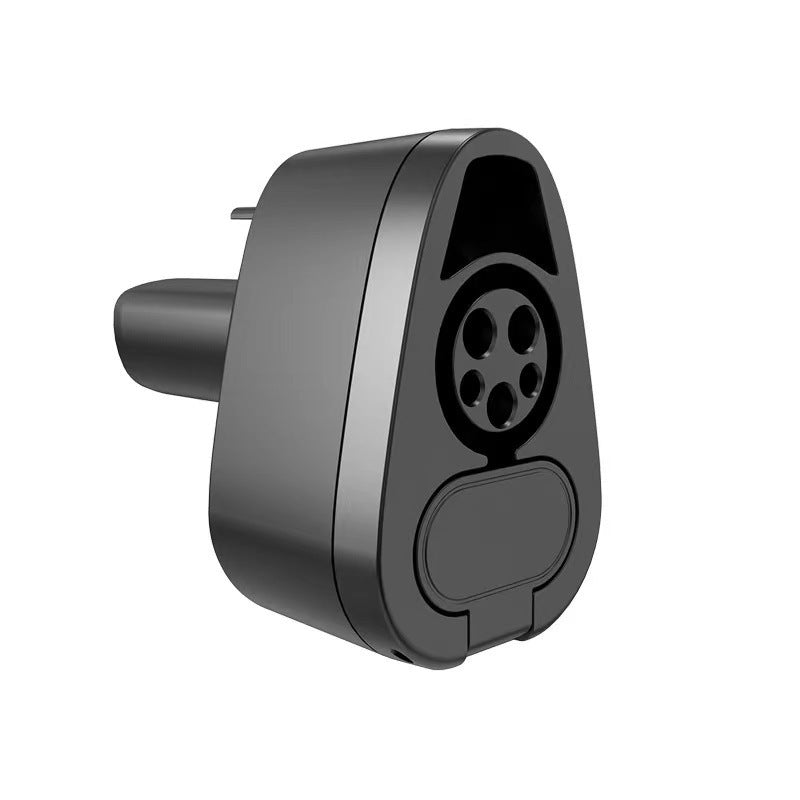
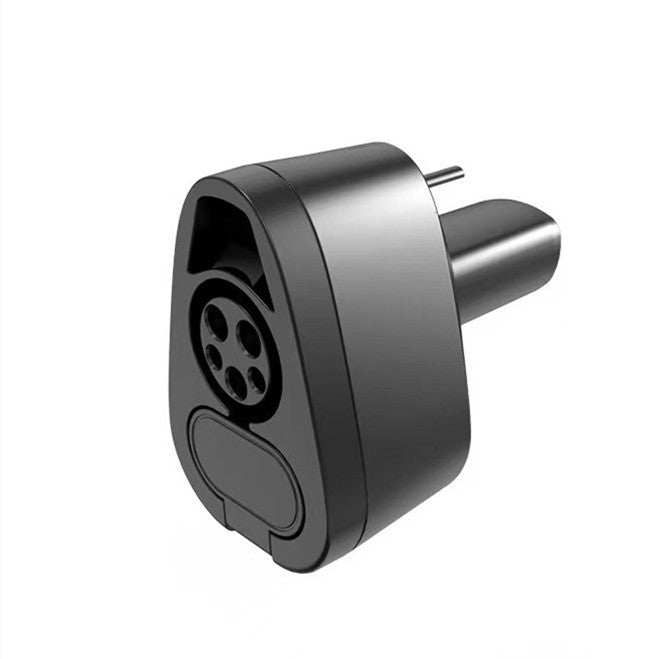
CCS1 & J1772 2-in-1 Charging Adapter for Tesla
CCS1 & J1772 2-in-1 Charging Adapter for Tesla
CCS1 & J1772 2-in-1 Charging Adapter for Tesla
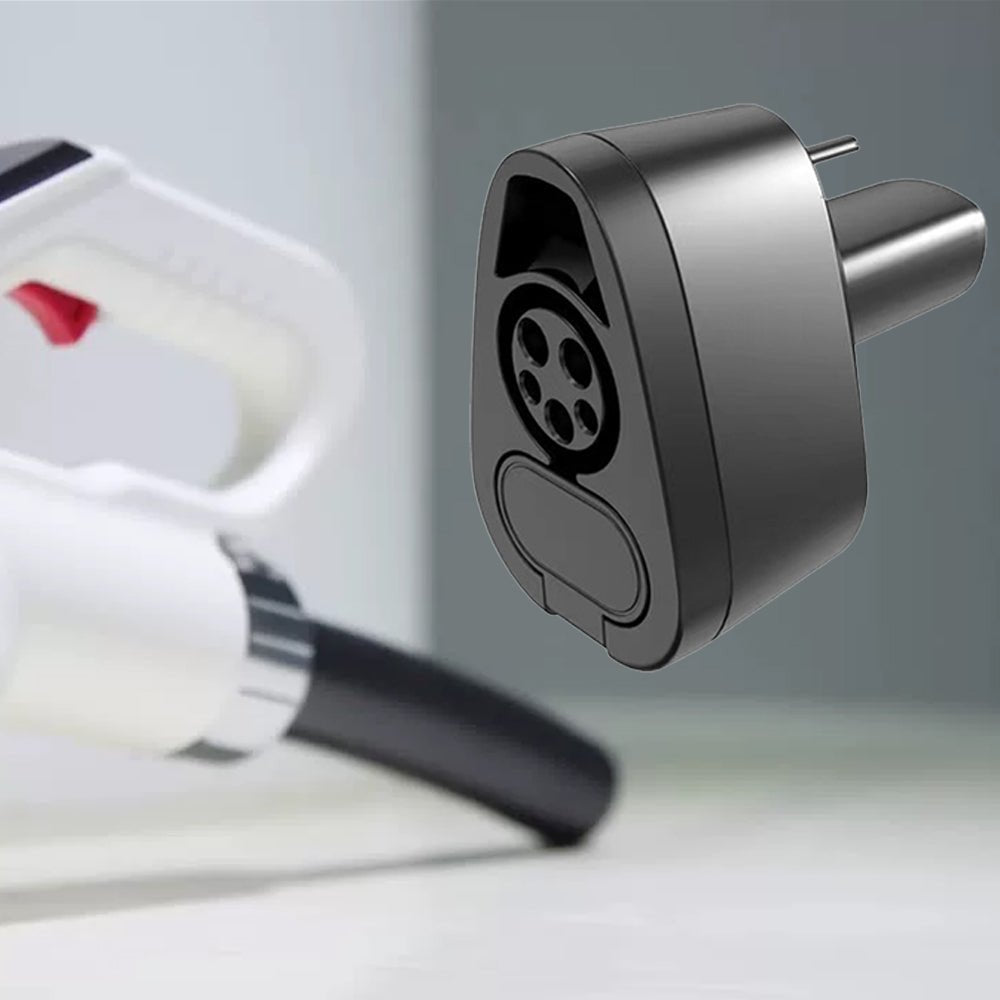
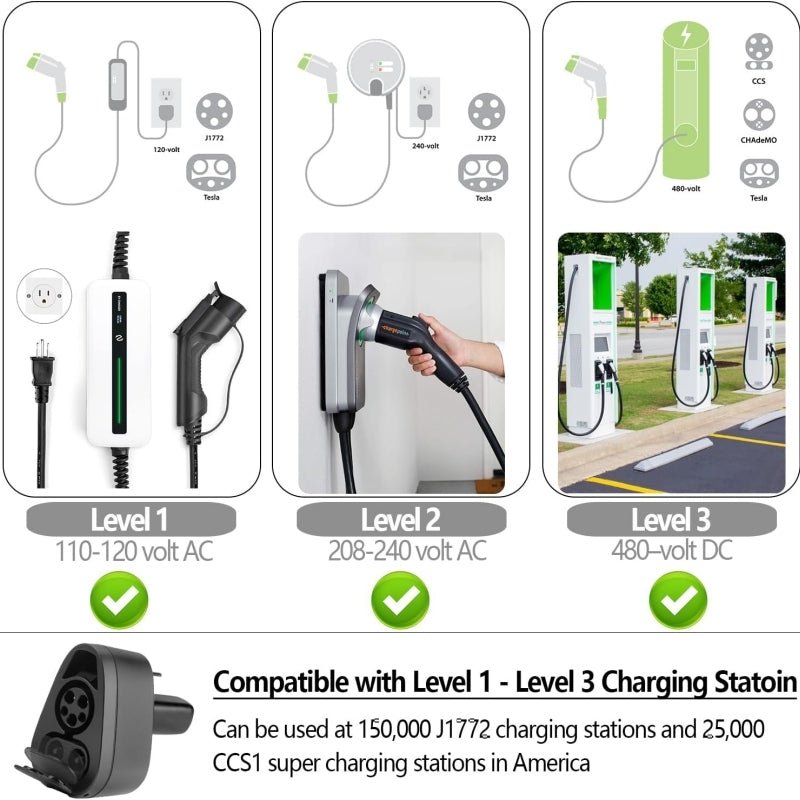
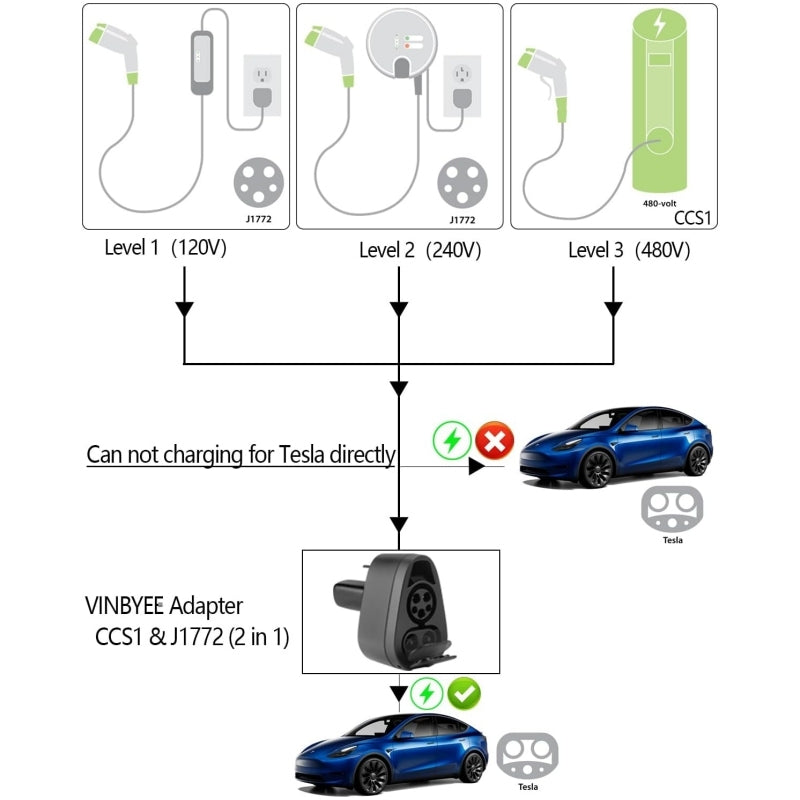
Carry one compact adapter for two of North America's most common third-party charging interfaces. Use compatible CCS1 stations for DC fast charging and J1772 stations for AC charging without keeping two separate Tesla charging adapters in the car.

CCS1 DC Fast Charging
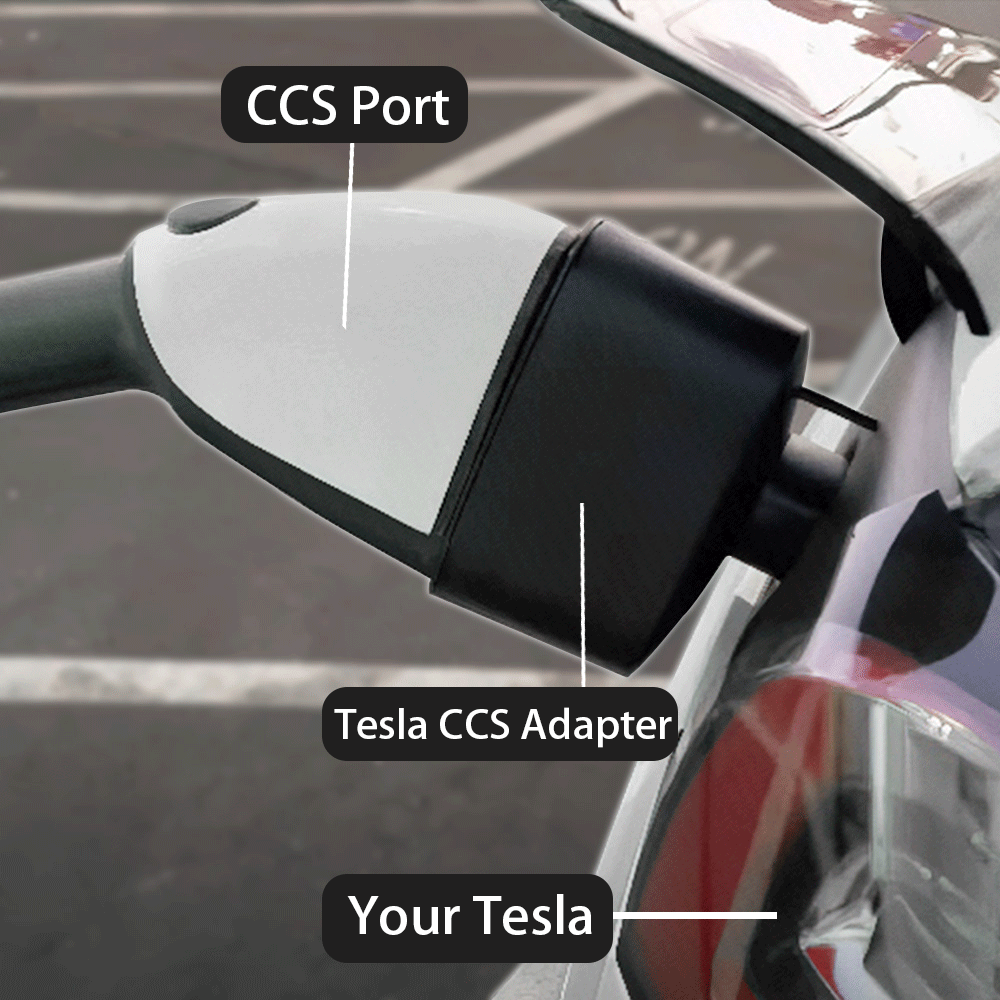
Connect a compatible CCS1 DC fast-charging connector to a Tesla that has CCS communication support enabled.
J1772 AC Charging
The upper J1772 interface lets the same adapter connect to compatible Level 1 and Level 2 SAE J1772 charging stations.
One Adapter, Less to Carry
A compact 2-in-1 housing replaces the need to keep separate CCS1 and J1772 adapters in your trunk for everyday travel.
Expand Your Third-Party Charging Options
The J1772 section handles compatible AC charging while the full CCS1 interface adds access to compatible third-party DC fast-charging stations.
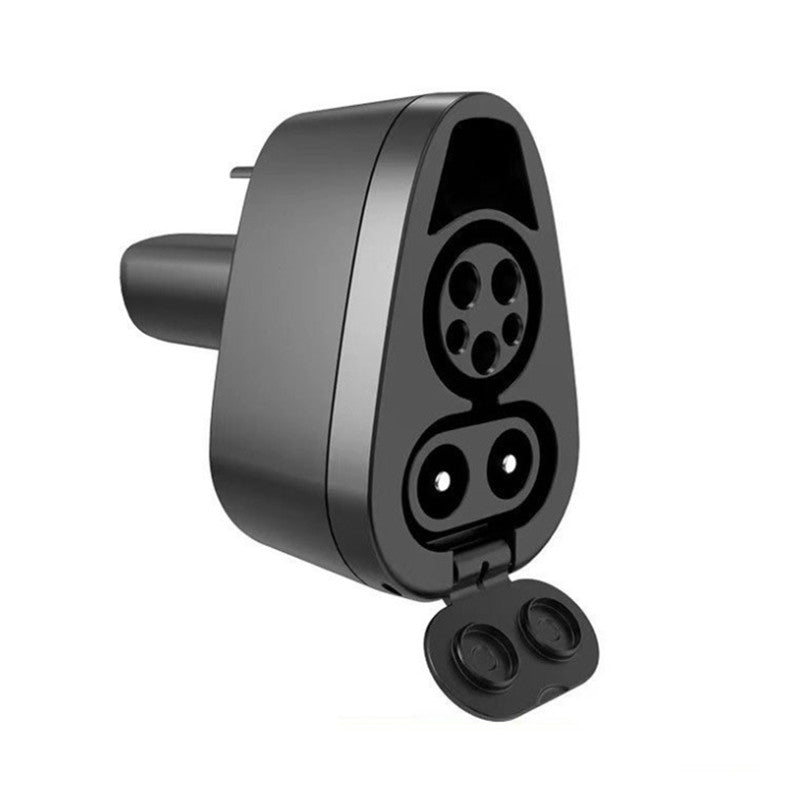
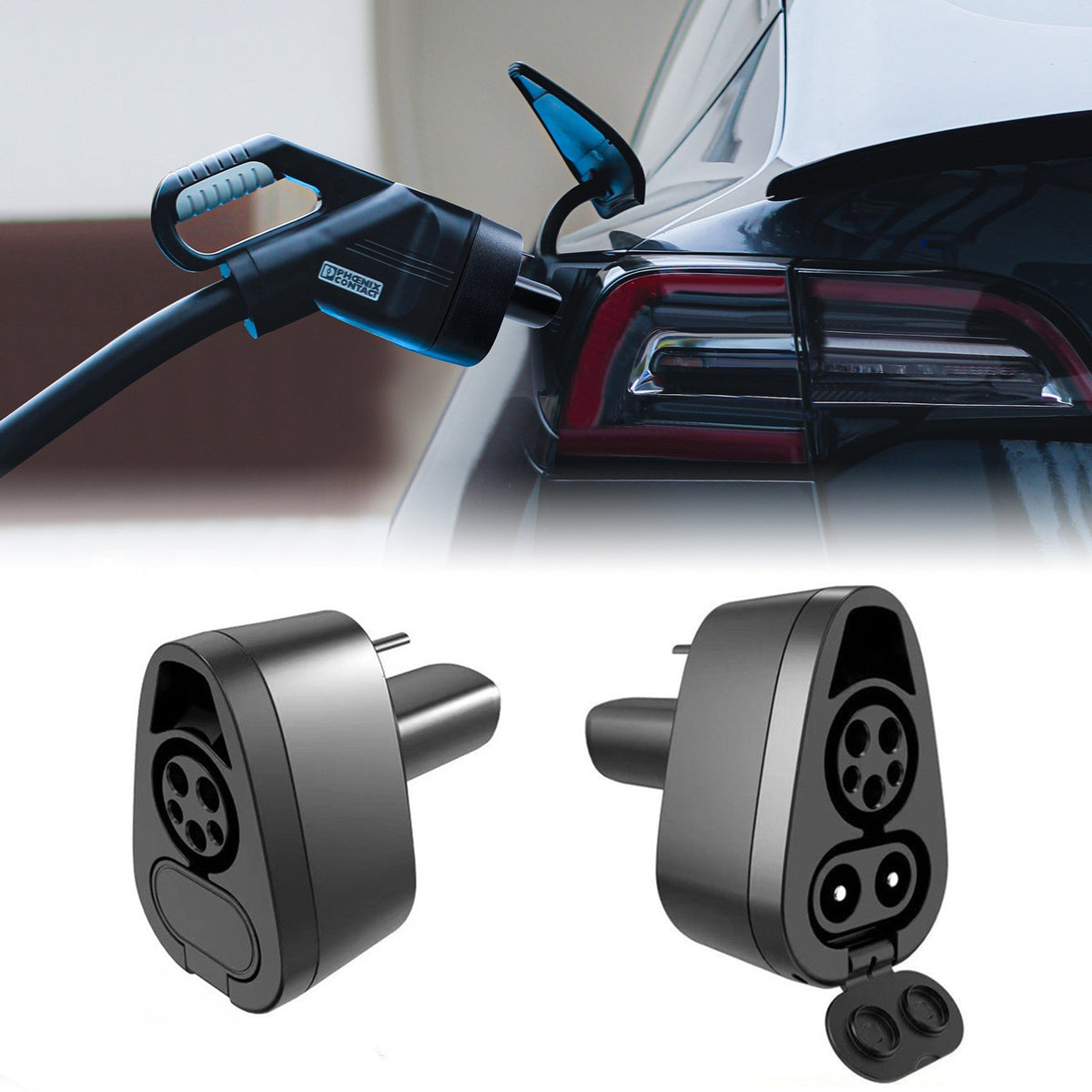
The lower DC contact area includes a hinged cover, helping protect the unused high-current contacts when the adapter is being used only with a J1772 AC connector.
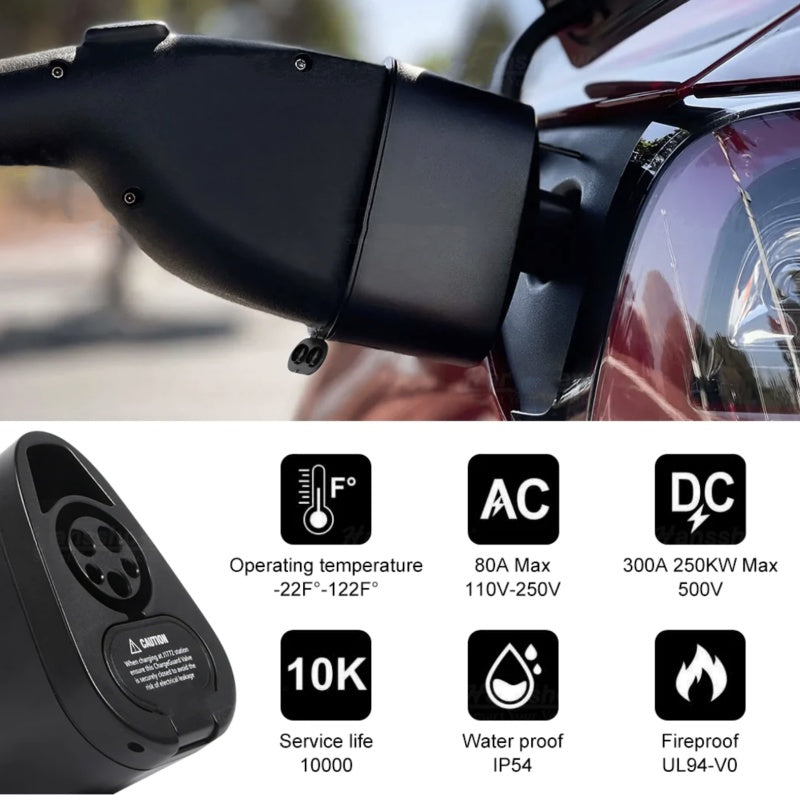
The current manufacturer specification lists an IP54 enclosure rating for protection against limited dust ingress and splashing water during normal charging use.
The insulating thermoplastic is manufacturer-listed as meeting the UL94-V0 flammability classification.
Conductive pins use a silver-plated copper-alloy construction designed for repeated electrical contact and wear resistance.
CCS Compatibility Must Be Checked Before Purchase
A CCS1 connector physically fitting the adapter does not mean every Tesla can DC fast charge through CCS. Your vehicle must show CCS / 3rd-party NACS DC Fast Charging Support: Enabled in Additional Vehicle Information.
One Housing for J1772 AC and CCS1 DC

J1772 AC Charging
Use the five-pin upper J1772 interface with compatible SAE J1772 AC charging stations.
Manufacturer hardware rating: AC up to 250V. A current product infographic additionally lists 80A maximum, although the main technical text does not consistently publish an AC current figure.
CCS1 DC Fast Charging
Open the lower contact cover and use the complete CCS1 interface with a compatible third-party CCS1 DC charger.
Manufacturer hardware rating: up to 500V DC / 300A.

One current product infographic contains a 250kW label, while the detailed adapter specification states 500V / 300A. Because those figures are not internally consistent, this description does not advertise a fixed 250kW charging rate. Actual DC charging power is determined by the vehicle, charging station, battery conditions and adapter limits.
Check CCS Support Before Using DC Fast Charging
On the Tesla center screen, open the vehicle Controls menu.
Scroll to Software and open Additional Vehicle Information.
Look for CCS / 3rd-party NACS DC Fast Charging Support and confirm that the vehicle shows Enabled.
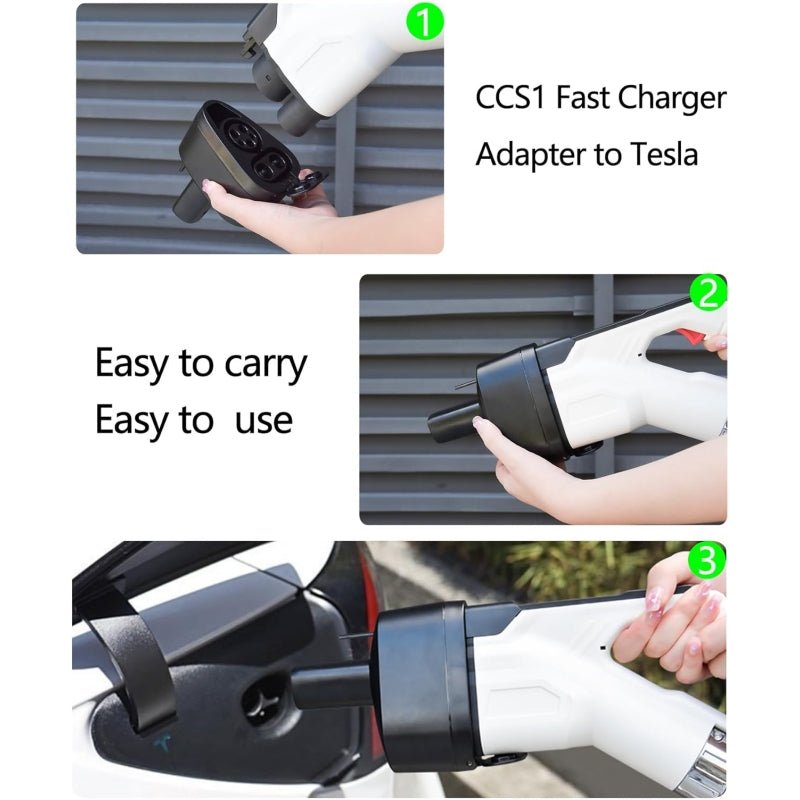
Insert the appropriate J1772 or CCS1 charging connector completely into the adapter before connecting the assembly to the vehicle.
Insert the Tesla side of the adapter fully into the vehicle charge port and wait for the vehicle to secure the connection.
Follow the charging-station instructions and confirm the Tesla touchscreen shows an active charging session before leaving the vehicle.

If the vehicle shows CCS support as Not enabled, the adapter alone cannot add CCS communication capability. Check with Tesla to determine whether your VIN is eligible for a CCS hardware retrofit.
Keep the adapter and charging contacts clean and avoid immersion, standing water or charging with damaged, contaminated or excessively wet electrical contacts.
Specifications
| Attribute | Details |
|---|---|
| Product | CCS1 & J1772 2-in-1 Charging Adapter for Tesla |
| Charging Interfaces | CCS1 DC + SAE J1772 AC |
| Vehicle-Side Interface | North American-Standard Tesla / NACS-Type Vehicle Connection |
| Manufacturer-Targeted Markets | United States / Canada / Korea |
| CCS1 DC Voltage Rating | Up to 500V DC |
| CCS1 DC Current Rating | Up to 300A |
| Verified Fixed DC Power Rating | Not Reliably Published — Actual Power Depends on Vehicle & Charger |
| J1772 AC Voltage Rating | Up to 250V AC |
| J1772 AC Current | Manufacturer Product Image Lists Up to 80A; Main Technical Text Does Not Consistently Publish a Numeric AC Current Limit |
| Vehicle CCS Support Required | Yes — For CCS1 DC Fast Charging |
| CCS Check Path | Controls → Software → Additional Vehicle Information → CCS / 3rd-Party NACS DC Fast Charging Support |
| Enclosure Rating | IP54 |
| Operating Temperature | -30°C to 50°C (-22°F to 122°F) |
| Housing Material | Insulating PC Thermoplastic |
| Conductive Pins | Silver-Plated Copper Alloy |
| Flammability Classification | Manufacturer-Listed UL94-V0 Material Standard |
| Separate External Power Required | No |
| Vehicle Coding Required | No Adapter Coding; Vehicle Must Already Support the Required Charging Protocol |
| Lower DC Contact Cover | Included / Integrated |
| Published Dimensions | Not Reliably Published |
| Package Contents | 1 × CCS1 & J1772 2-in-1 Tesla Charging Adapter |
Quick Answers
Is this one adapter for both CCS1 and J1772? +
Yes. The upper interface accepts J1772 AC connectors, while the complete upper-and-lower interface accepts CCS1 DC connectors.
Can every Tesla use CCS1 fast charging with this adapter? +
No. The vehicle must support CCS communication. Check Additional Vehicle Information on the Tesla touchscreen before purchasing for CCS1 DC use.
Where do I check CCS compatibility? +
Open Controls → Software → Additional Vehicle Information and check the CCS / 3rd-party NACS DC Fast Charging Support status.
What if my Tesla says CCS support is “Not enabled”? +
The vehicle may require a Tesla CCS hardware retrofit. The charging adapter itself cannot add missing CCS communication hardware to the vehicle.
What if my Tesla says CCS support is “Not compatible”? +
Do not expect CCS1 DC charging to work with this adapter. Confirm retrofit eligibility directly with Tesla before ordering.
What is the maximum CCS1 electrical rating? +
The current manufacturer specification lists up to 500V DC and 300A.
Does that mean the adapter always charges at 250kW? +
No. One manufacturer infographic contains a 250kW label, but the detailed electrical ratings are not consistent with treating 250kW as a guaranteed adapter output. Actual charging speed varies with the vehicle, charger and battery conditions.
What is the J1772 AC voltage rating? +
The current manufacturer technical description lists up to 250V AC.
Does it support Level 1 and Level 2 J1772 charging? +
Yes, when used with compatible SAE J1772 AC charging equipment within the adapter and vehicle electrical limits.
Is the adapter waterproof? +
It is rated IP54, meaning it is designed for limited dust ingress and splashing water. It should not be submerged or used with flooded or contaminated electrical contacts.
What temperature range is published? +
The current manufacturer operating-temperature specification is -30°C to 50°C (-22°F to 122°F).
Is the entire adapter UL certified? +
The current source specifically lists a UL94-V0 fire-resistance classification for the insulating material. This page does not claim a separate full-product UL listing.
Can I leave the adapter attached to the car after charging? +
Remove the charging connector and adapter after the session, close the vehicle charge-port door and store the adapter in a clean, dry place to protect the electrical contacts.
What should I verify before ordering? +
Confirm your Tesla uses the North American-style vehicle charging interface and, if CCS1 DC fast charging is important, verify that CCS support is shown as Enabled on the vehicle.
Couldn't load pickup availability
Product features
Product features
Materials and care
Materials and care
Merchandising tips
Merchandising tips