4.6'' Mini Display Screen for Tesla Model 3 / Y
4.6'' Mini Display Screen for Tesla Model 3 / Y
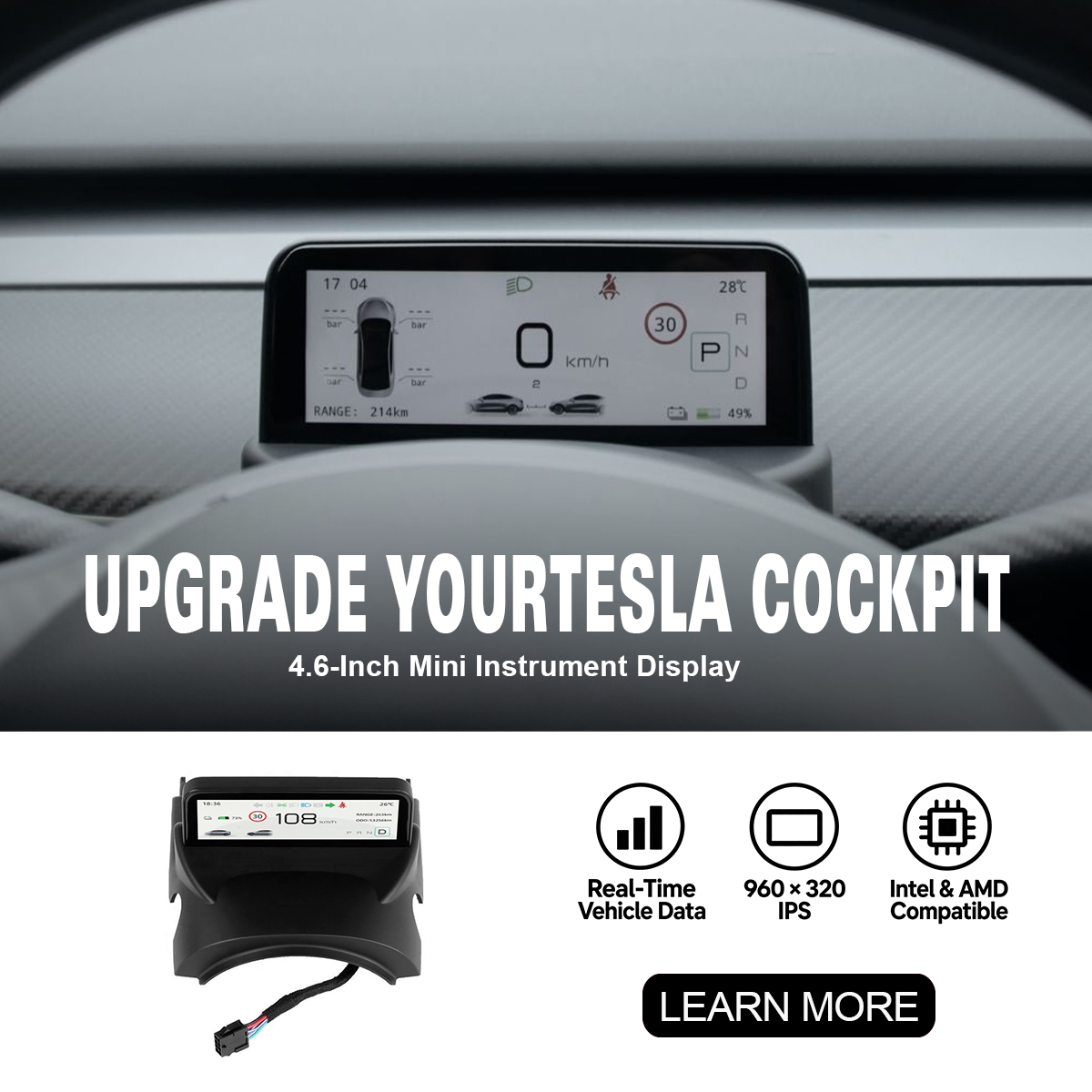
4.6″ Mini Instrument Display for Tesla Model 3 & Model Y
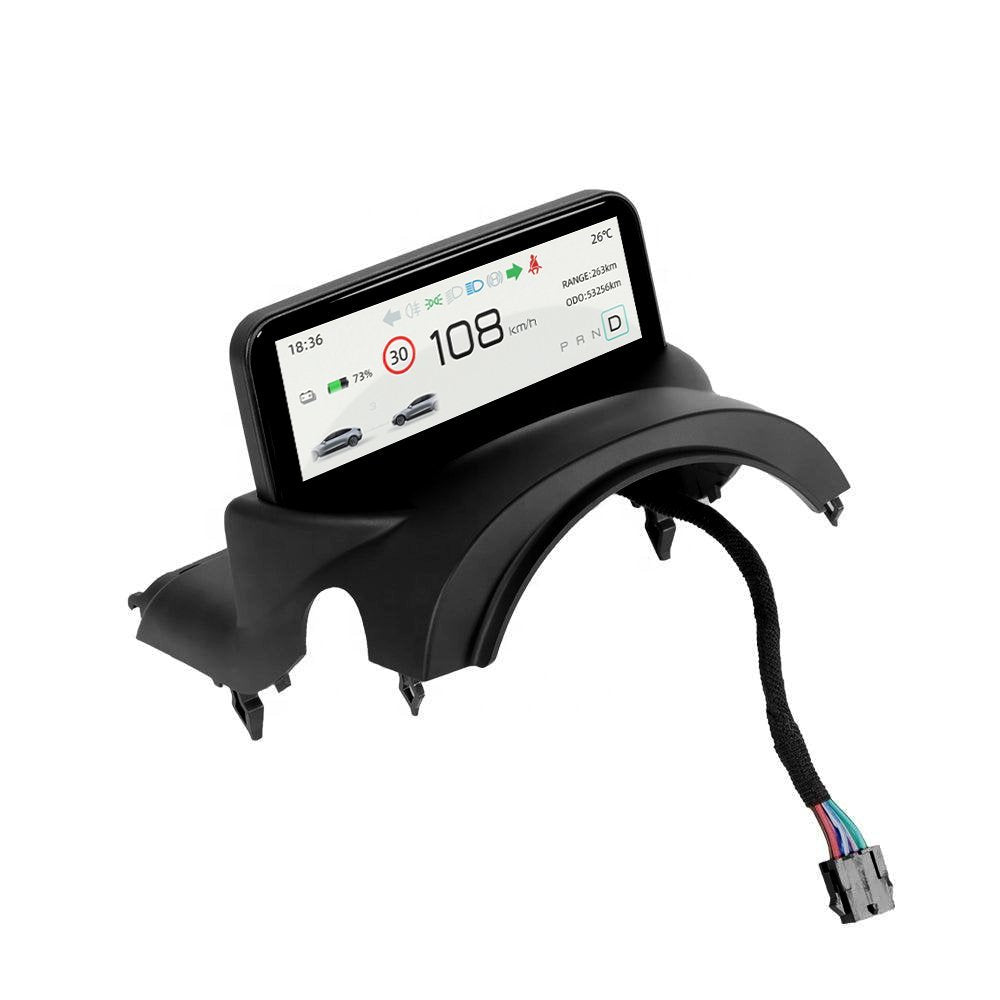
Put essential driving information directly in front of the steering wheel with a compact 4.6-inch IPS instrument display that mirrors key Tesla vehicle data while preserving dashboard airflow and the clean factory-style cabin layout.
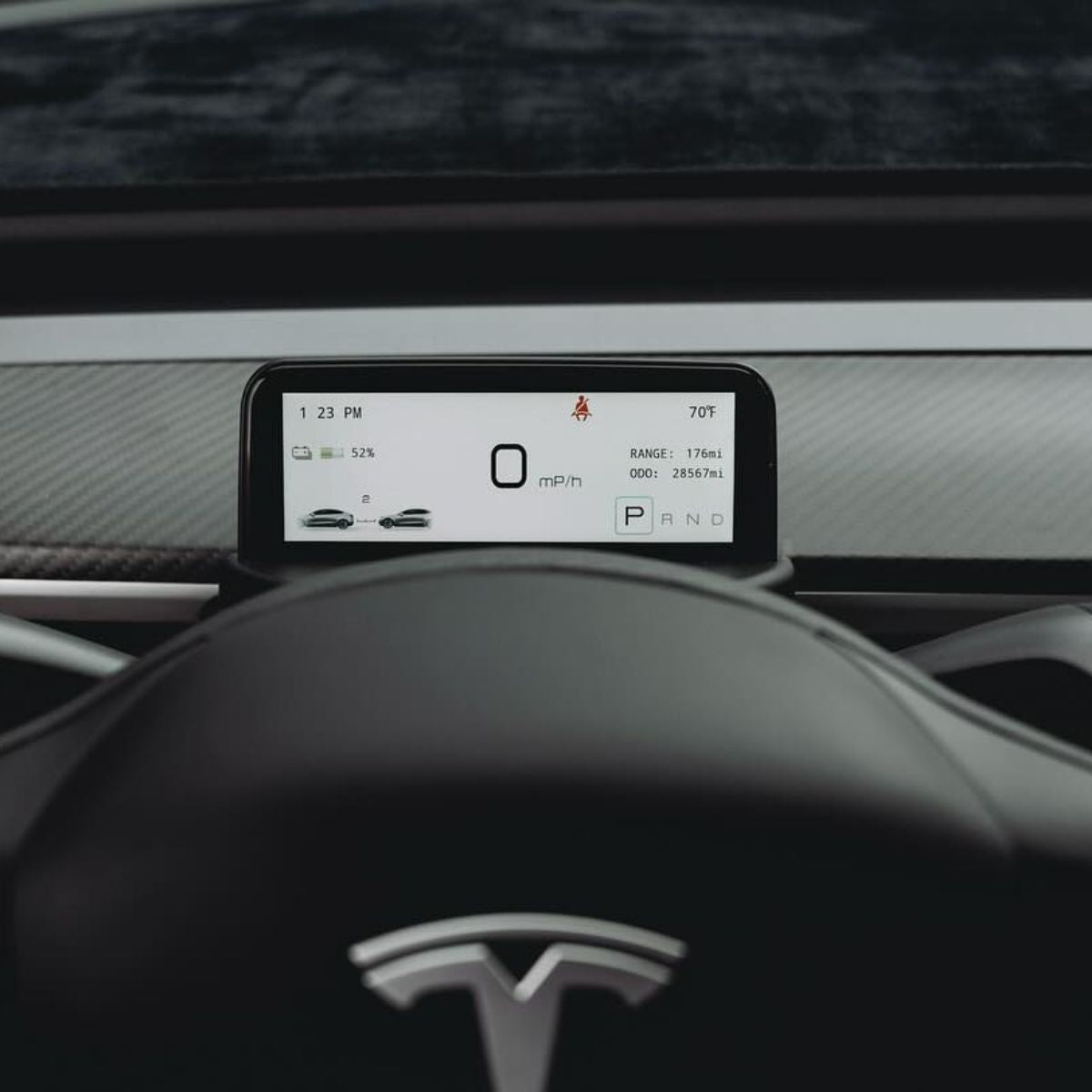
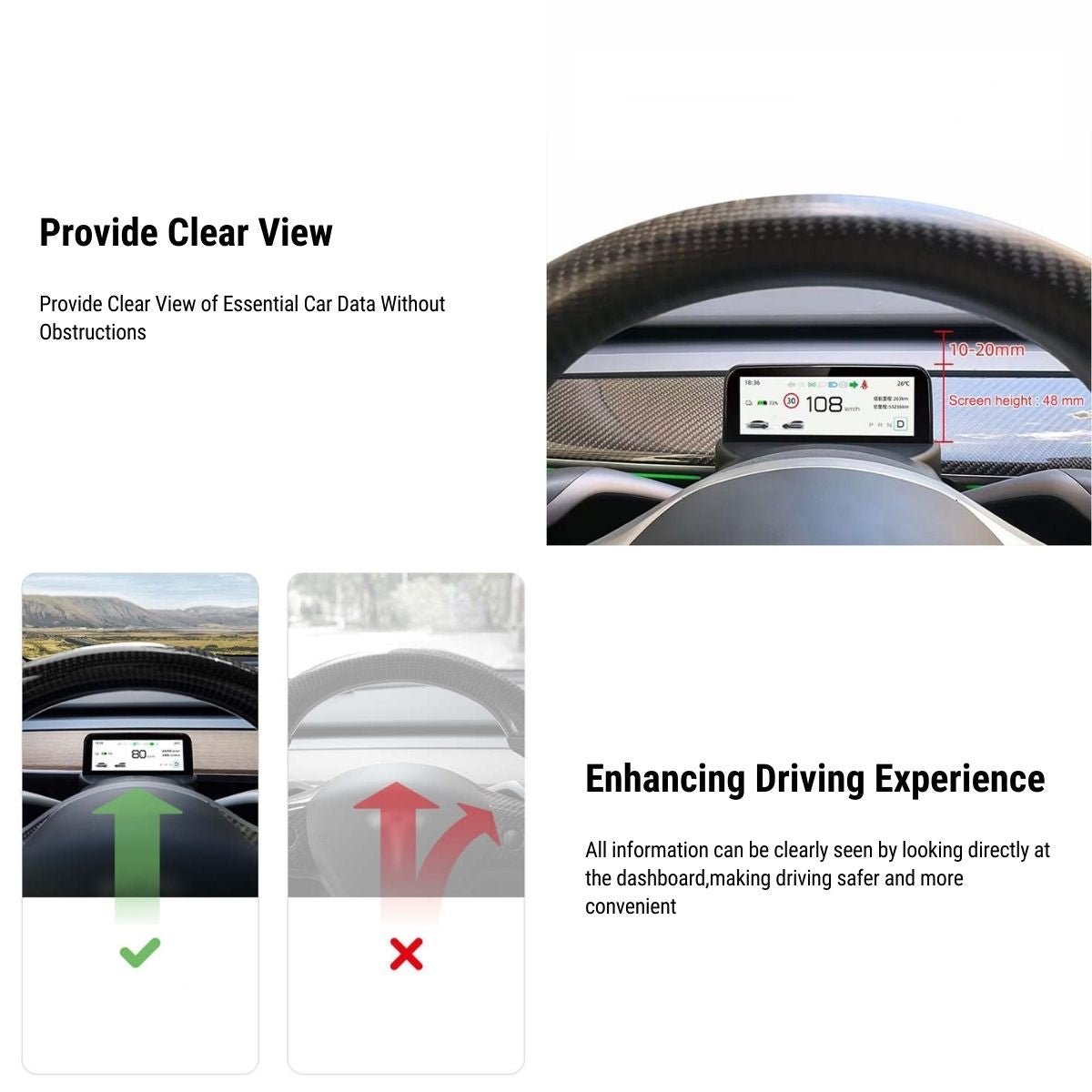
Key Data in Your Forward View
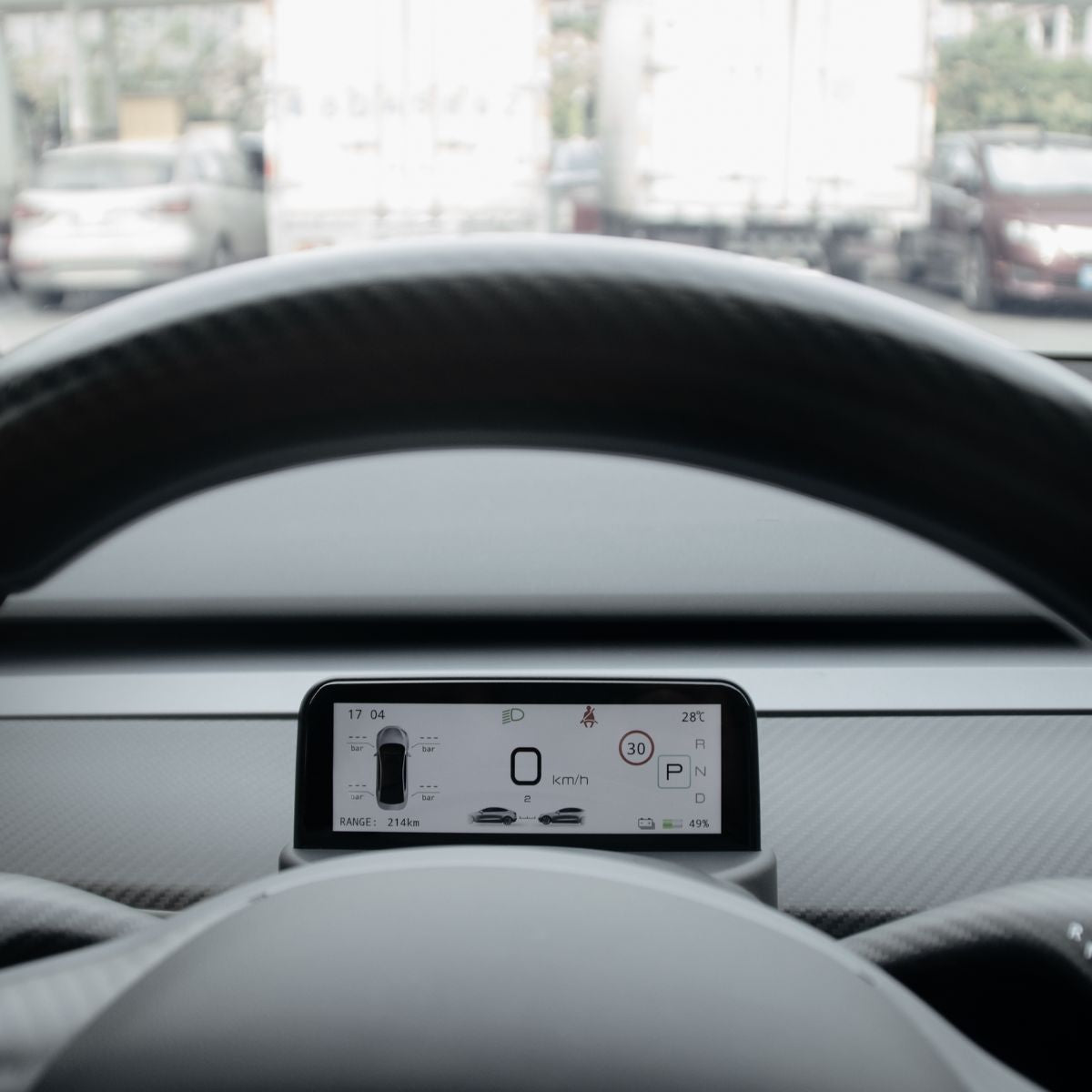
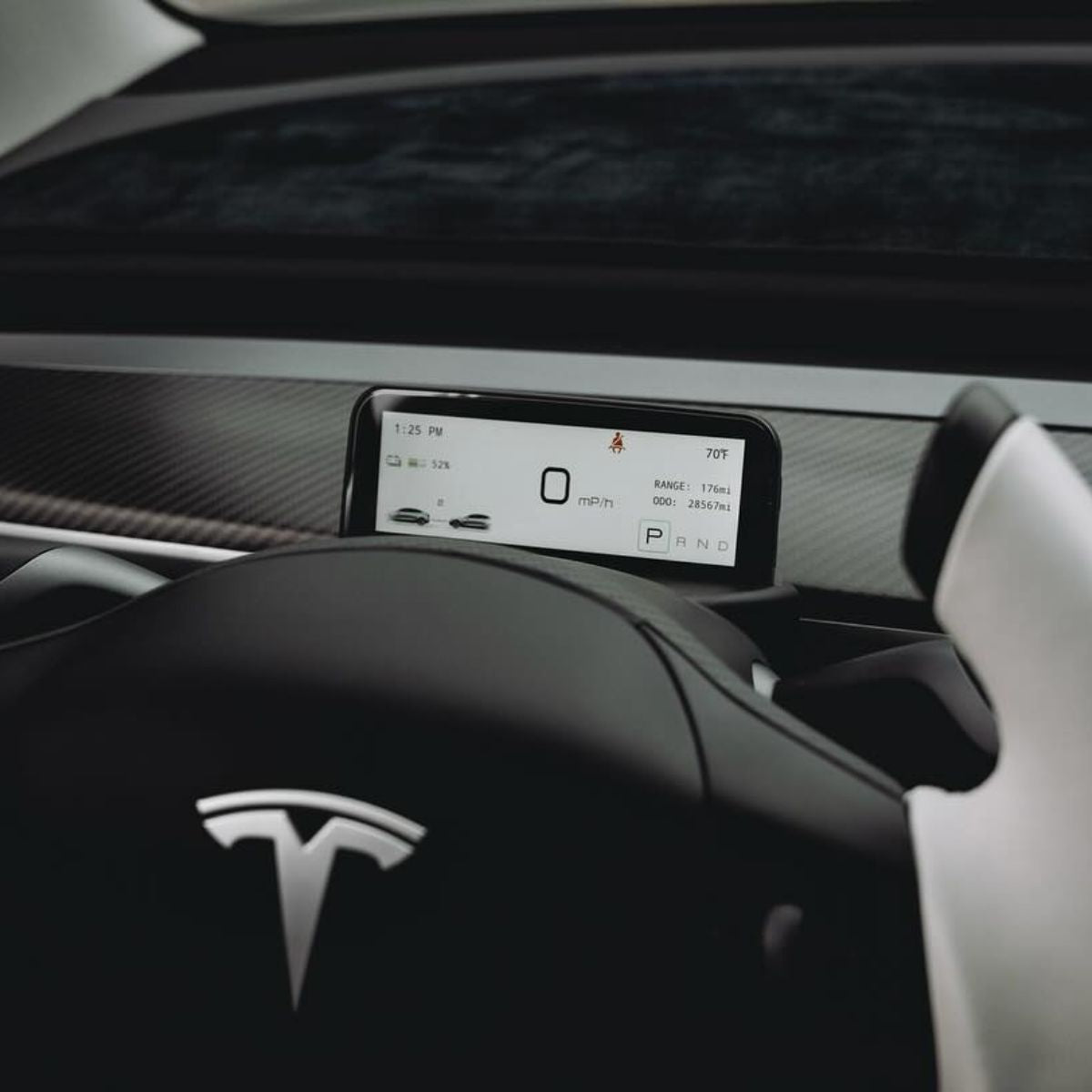
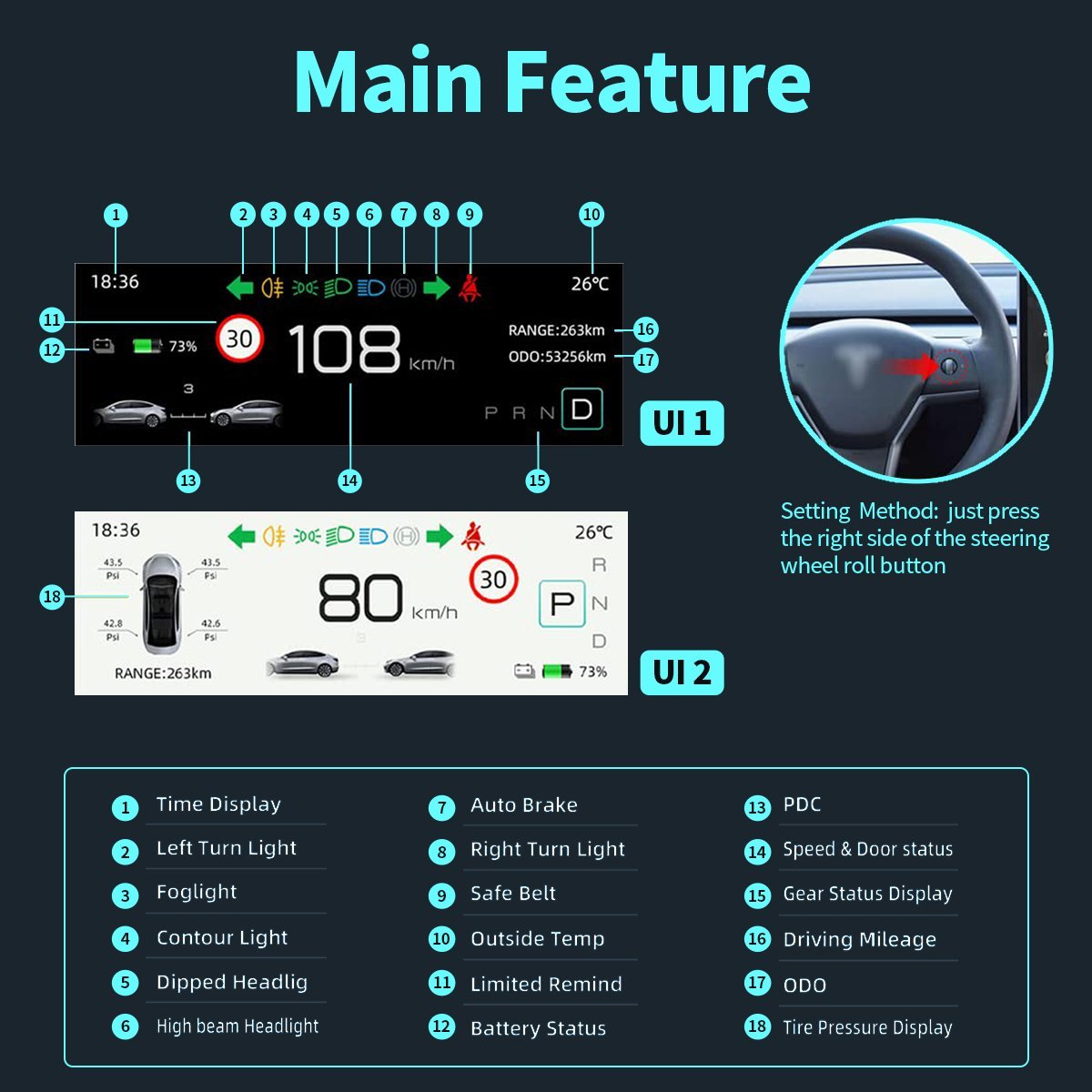
View speed, gear, battery, range and other important vehicle information directly behind the steering wheel instead of relying only on the center touchscreen.
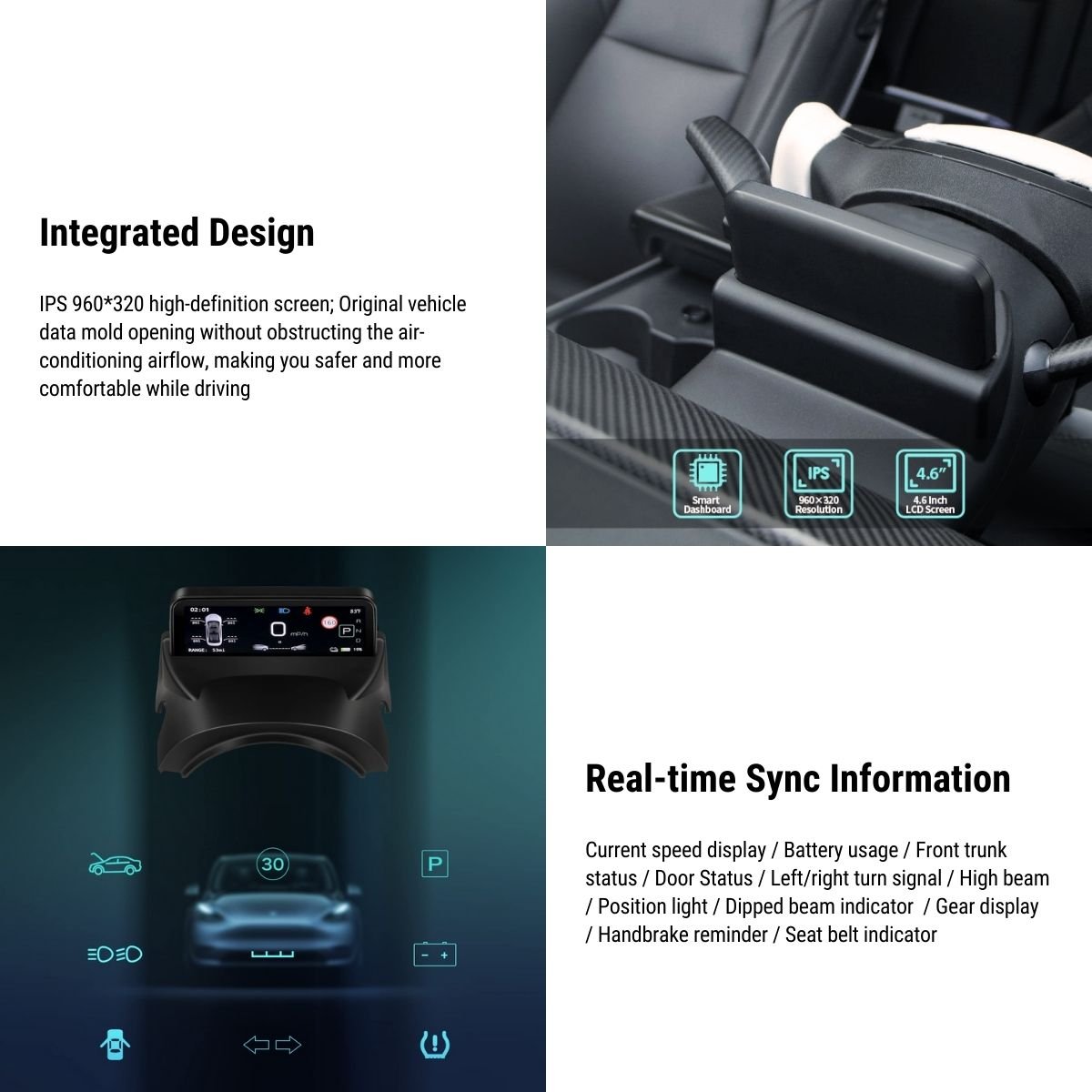
960×320 IPS Display
The 4.6-inch IPS screen uses a wide 960×320 format designed specifically for compact instrument-cluster information.
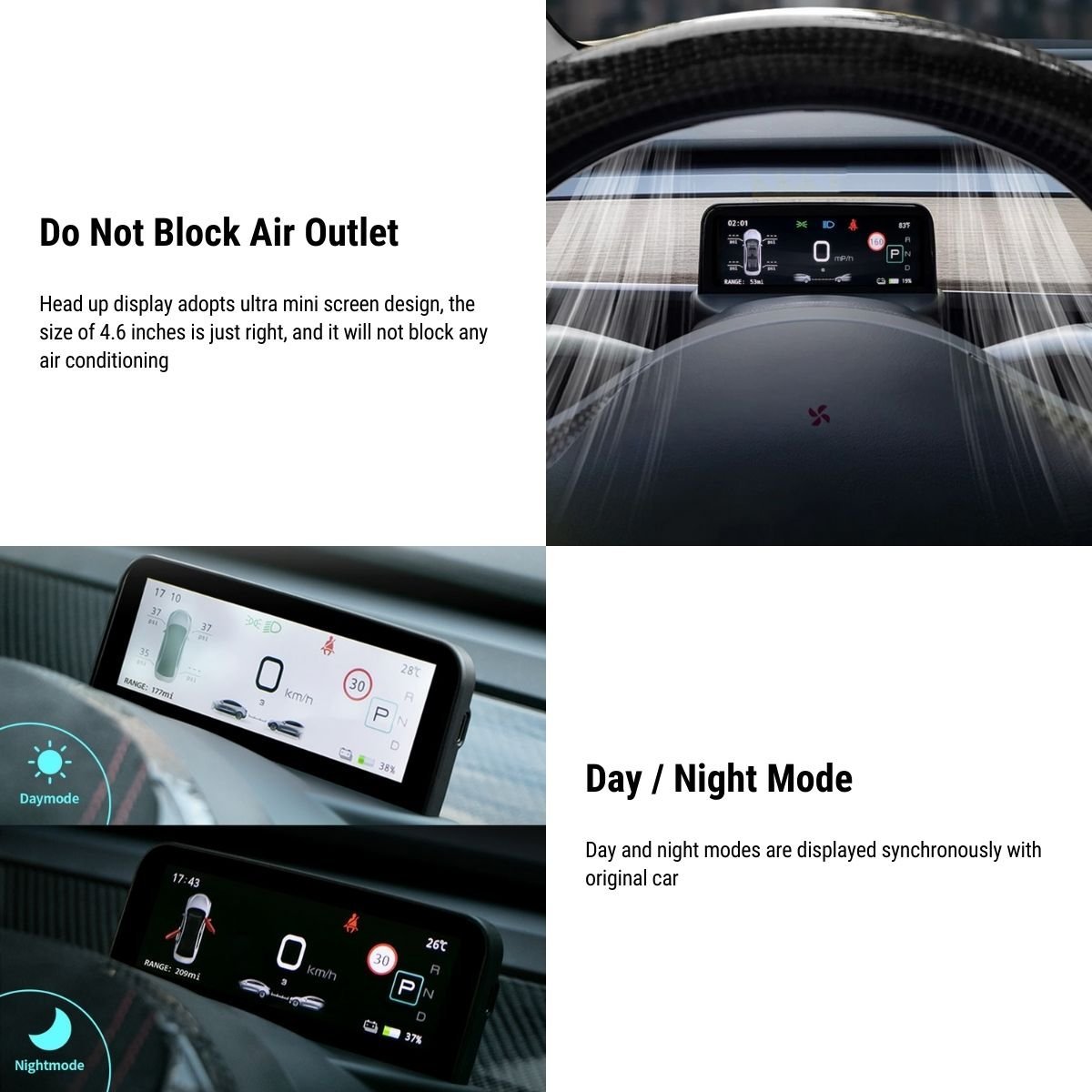
Preserves Dashboard Airflow
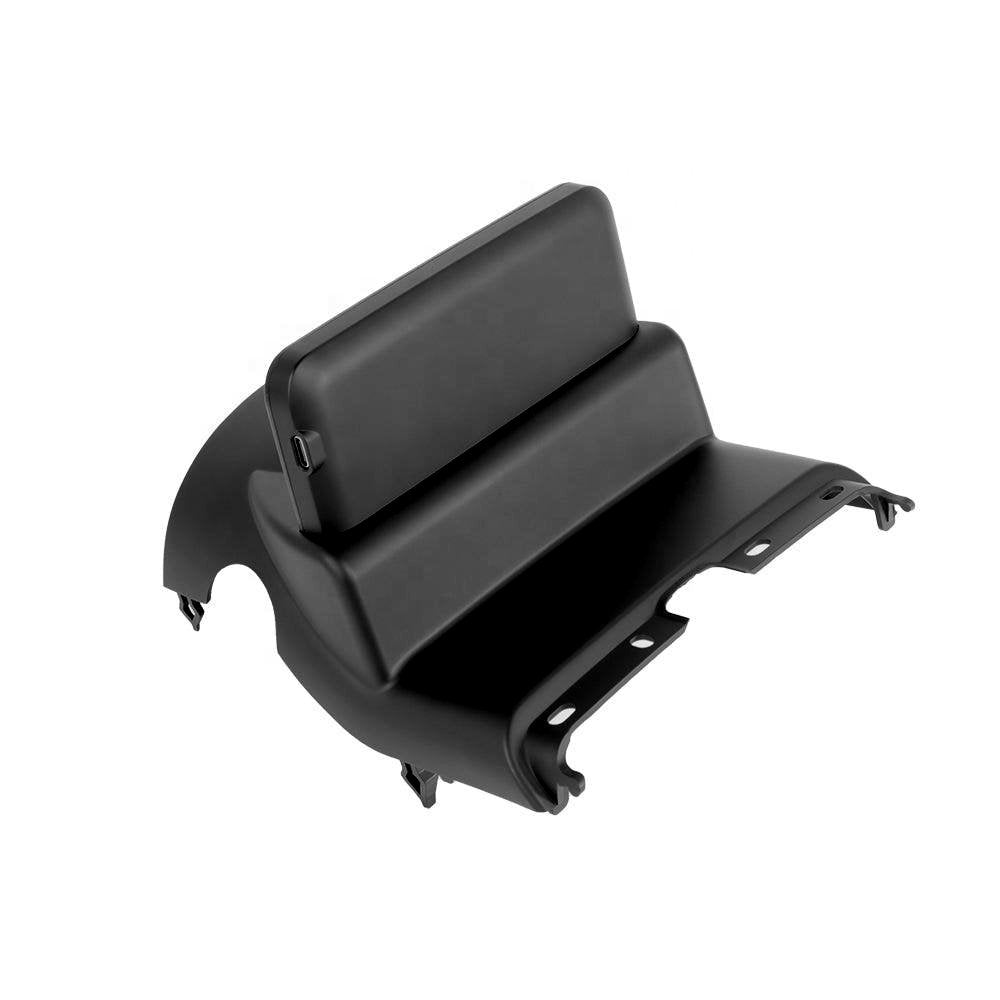
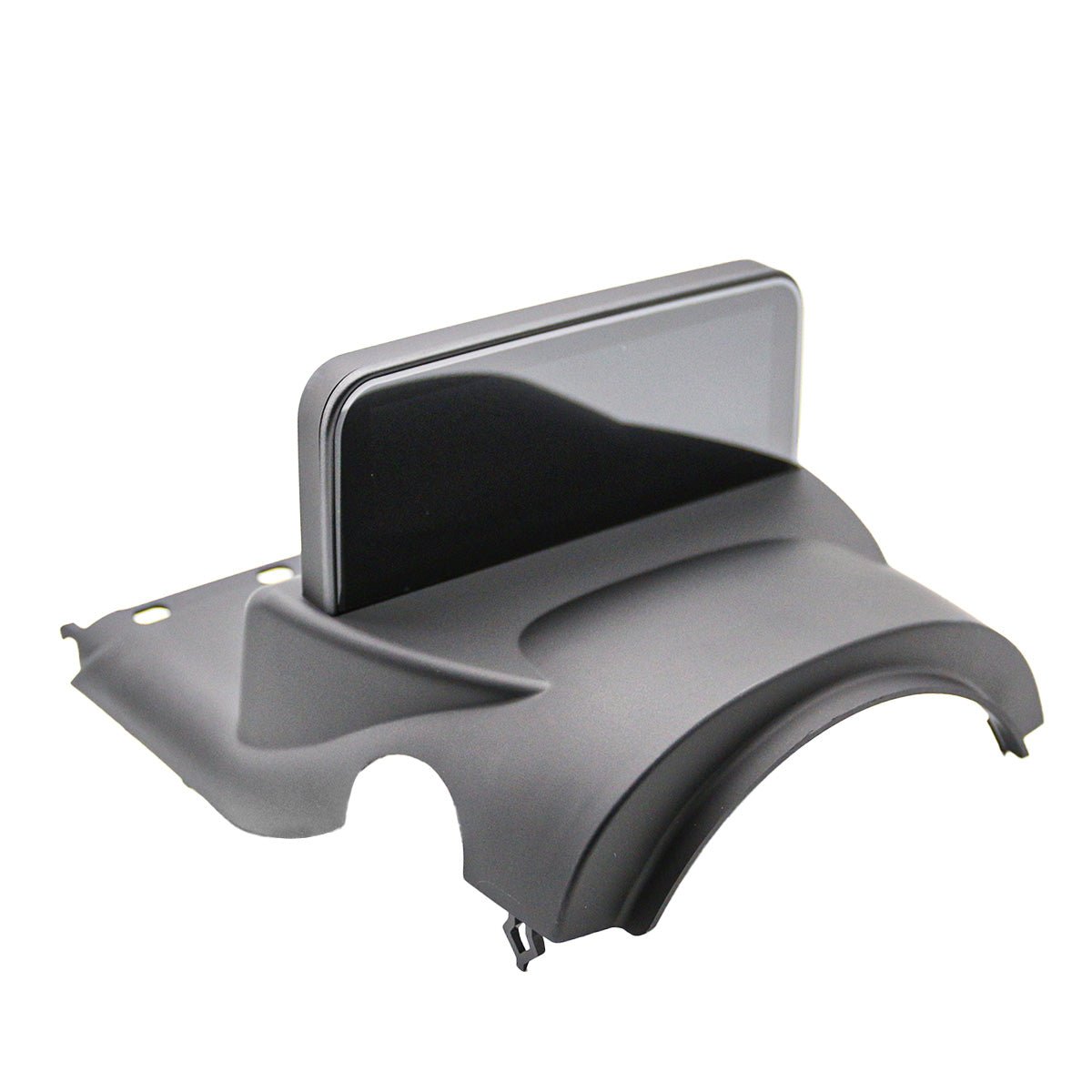
Its low-profile integrated housing is shaped around the dashboard so the screen does not sit directly across the main air outlet path.
Why This Mini Instrument Display Stands Out
The display reads compatible Tesla vehicle data and presents frequently used driving information without requiring you to open menus on the main center screen.
Access display settings using the right steering-wheel scroll control instead of adding a separate button or handheld remote.
Brightness and display appearance can adapt between lighter daytime and darker nighttime viewing conditions.
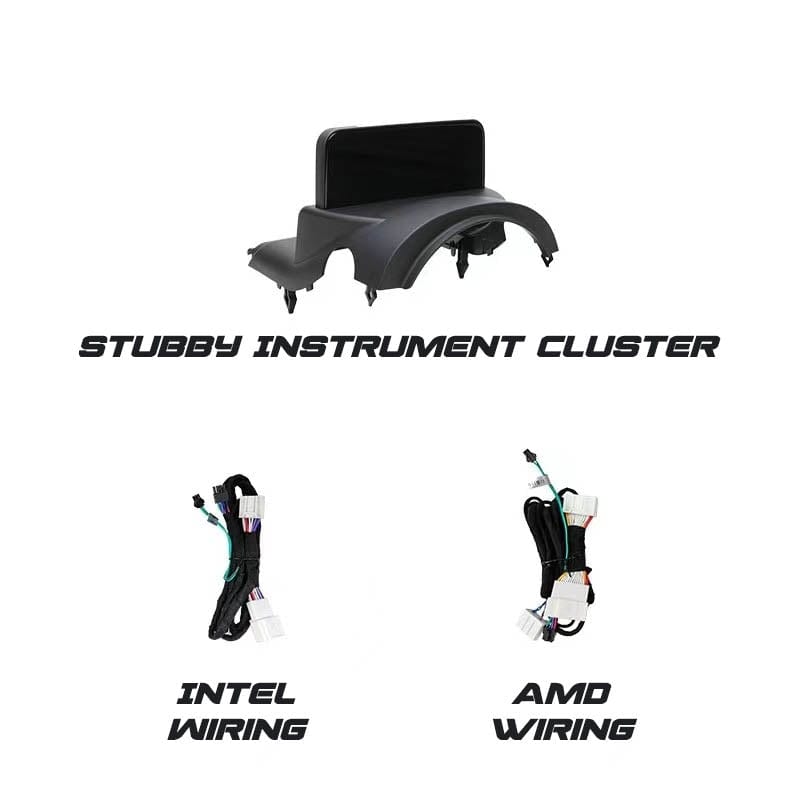
Separate wiring configurations are provided for Tesla vehicles equipped with Intel Atom or AMD Ryzen infotainment hardware.
Vehicle-specific connectors and an integrated trim housing are designed to install without cutting the original Tesla wiring.
Driver Information Display — Not an Entertainment Screen
This 4.6-inch unit is designed primarily as a mini instrument cluster. Current product documentation does not publish Apple CarPlay, Android Auto, video streaming, Wi-Fi, Bluetooth entertainment or touchscreen functionality.
See the Vehicle Information You Use Most

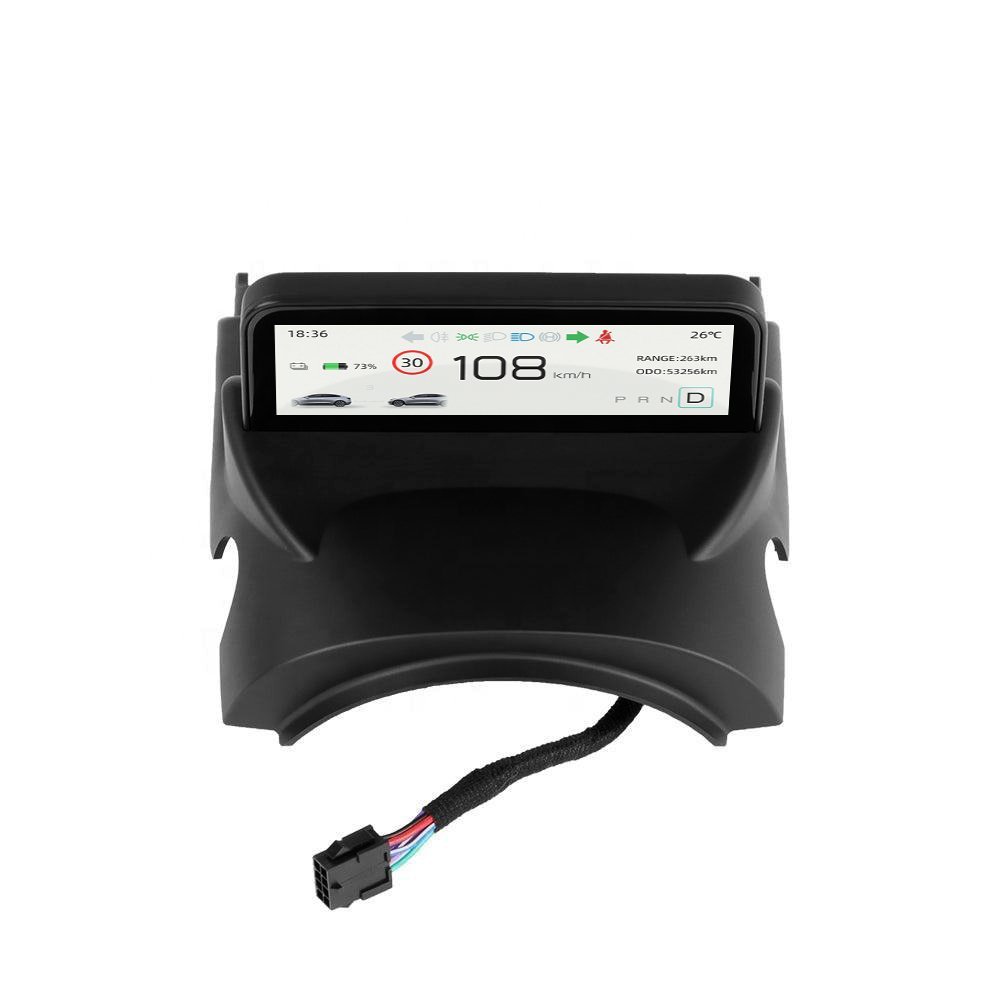
Current vehicle speed and P / R / N / D gear status.
Battery state and manufacturer-listed remaining driving range.
Left and right turn-indicator status.
High beam, low beam, position / contour and fog-light status.
Door-open information and seat-belt reminder status.
Tire-pressure information when supported and available from the vehicle.
Manufacturer-listed driving mileage and odometer information.
Exterior temperature data displayed within the instrument UI.

Current Tesery documentation also lists navigation instructions and Autopilot status among supported display information. Exact information shown can depend on vehicle, firmware and communication protocol.
Check Vehicle Year & Processor Before Installation
Intel Atom
Vehicles equipped with the Intel infotainment processor require the matching Intel wiring configuration.
AMD Ryzen
Vehicles equipped with the AMD infotainment processor require the corresponding AMD wiring configuration.

On the Tesla center screen, open Software → Additional Vehicle Information and check whether the infotainment processor is Intel Atom or AMD Ryzen.
Use the processor-matched wiring harness rather than assuming Intel and AMD connections are interchangeable.
Carefully access the required driver-side dashboard trim and vehicle connector according to the installation guide.
Connect the supplied matching harness without cutting or splicing the original Tesla wiring.
Install the molded mini-cluster housing in its designated dashboard position and confirm it sits securely without pinching the harness.
Test speed, gear, indicators and lighting status before completing final dashboard reassembly.

The current product selector lists Model 3 2017–2023.08 and Model Y 2020–2025.03, while the manufacturer FAQ still references Model 3 through 2023.10 and Model Y through 2024. For vehicles near a refresh transition, confirm the exact production date and dashboard configuration before ordering.
The manufacturer states that CAN2 is the default protocol. If certain vehicle indicators display incorrectly after installation, the settings menu provides an alternate CAN1 option.
Specifications
| Attribute | Details |
|---|---|
| Product | Mini Instrument Cluster Display |
| Screen Size | 4.6 Inches |
| Display Type | IPS |
| Resolution | 960 × 320 |
| Operating System | Linux |
| Current Model 3 Selector | 2017–2023.08 |
| Current Model Y Selector | 2020–2025.03 |
| Model 3 Highland | Not Listed / Confirm Before Ordering |
| Model Y Juniper | Not Listed / Confirm Before Ordering |
| Infotainment Processor Support | Intel Atom / AMD Ryzen |
| Steering Position | LHD / RHD |
| User Interface | OEM-Style Vehicle Information UI |
| Day / Night Display | Supported |
| Brightness Adjustment | Supported |
| Steering-Wheel Control | Right Scroll-Wheel Settings Control |
| Default CAN Protocol | CAN2 |
| Alternate CAN Setting | CAN1 Available in Settings |
| Core Vehicle Data | Speed / Gear / Battery / Range / Odometer / Turn Signals / Lighting / Door / Seat Belt / Temperature / Tire Pressure |
| Navigation Instructions | Manufacturer-Listed |
| Autopilot Status | Manufacturer-Listed |
| Apple CarPlay | Not Published / Not Claimed |
| Android Auto | Not Published / Not Claimed |
| Touchscreen | Not Published / Steering-Wheel Control Used for Settings |
| Installation | Vehicle-Specific Plug-and-Play |
| Factory Wire Cutting / Splicing | Not Required |
| Air Vent Obstruction | Designed to Preserve Airflow |
| Published Overall Dimensions | Not Fully Published |
| Published Screen Height | Approx. 48 mm in Current Product Imagery |
| Firmware Update | Manufacturer Update Package Available When Required |
| Package | 4.6″ Display with Integrated Instrument Housing + Matching Intel or AMD Vehicle Wiring Harness |
Quick Answers
How large is the screen? +
The display is 4.6 inches with an IPS panel and a published resolution of 960×320.
Which Model 3 years are currently listed? +
The current product selector lists Model 3 2017–2023.08. A legacy FAQ references vehicles through 2023.10, so cars produced near the refresh transition should be confirmed before ordering.
Which Model Y years are currently listed? +
The current product selector lists Model Y 2020–2025.03. Because the manufacturer FAQ still contains an older 2020–2024 range, confirm vehicles close to the Juniper transition before ordering.
Does it fit Model 3 Highland? +
Model 3 Highland is not included in the current selectable fitment for this 4.6-inch product and should not be assumed compatible.
Does it fit Model Y Juniper? +
Model Y Juniper uses a redesigned dashboard and is not specifically listed for this 4.6-inch display. Confirm compatibility before ordering.
How do I know whether my Tesla has Intel or AMD? +
On your Tesla center screen open the vehicle menu, choose Software, then Additional Vehicle Information. Look for “Infotainment Processor,” which will identify Intel Atom or AMD Ryzen.
Does it work with both left-hand and right-hand drive cars? +
Yes. Current manufacturer documentation lists support for both left-hand-drive and right-hand-drive vehicles.
What information can the screen display? +
Current manufacturer materials show or list speed, gear, battery state, range, mileage, odometer, turn signals, light status, seat belt, door status, exterior temperature, tire pressure and other supported vehicle information.
Does it display navigation information? +
The current manufacturer description lists navigation instructions among supported information. Exact displayed navigation content may depend on vehicle and firmware version.
Does it show Autopilot status? +
Autopilot status is listed in the current manufacturer product description. Availability and exact presentation can depend on the vehicle software and communication protocol.
Does the display block the air vents? +
The integrated low-profile design is specifically shaped to preserve dashboard airflow rather than placing a large display directly across the outlet.
How do I enter the settings menu? +
Current manufacturer instructions say to push the right steering-wheel scroll wheel to the right for approximately three seconds to enter Settings, then use the steering-wheel control to navigate the menu.
Why is a light indicator showing incorrectly? +
The dashboard defaults to CAN2. The manufacturer specifically notes that if the high-beam indicator stays on incorrectly, changing the protocol setting to CAN1 may resolve the issue.
Does it support Apple CarPlay or Android Auto? +
No verified Apple CarPlay or Android Auto support is published for this 4.6-inch mini cluster. It should not be confused with larger multimedia dashboard displays that advertise those functions.
Is the screen touch-enabled? +
Touchscreen functionality is not published for the current product. Settings are documented as being controlled through the steering-wheel scroll wheel.
Does installation require cutting factory wires? +
No. Current product documentation describes the installation as plug-and-play and non-destructive.
Can the firmware be updated? +
Yes. The manufacturer states that firmware update packages can be provided when an update is required.
What is included in the package? +
Current product imagery shows the 4.6-inch display integrated into its instrument housing plus processor-specific wiring. Use the harness matching your Intel or AMD vehicle configuration.
Couldn't load pickup availability
Product features
Product features
Materials and care
Materials and care
Merchandising tips
Merchandising tips